
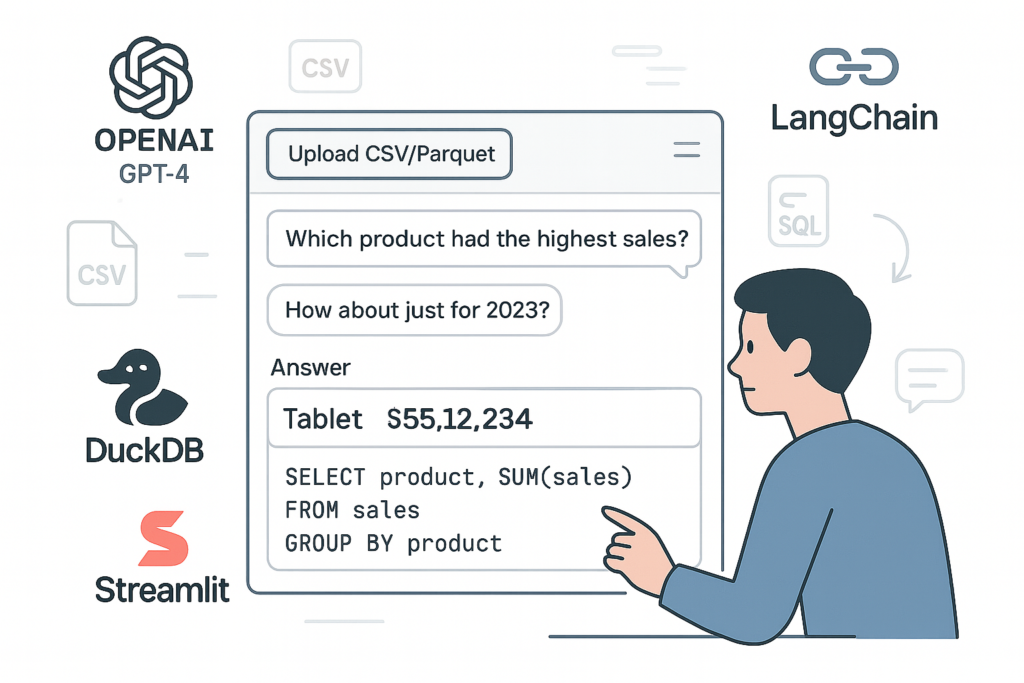
Imagine being able to upload a .csv or .parquet file and simply ask:
“What is the average transaction amount?”
“Which product had the highest sales?”
— without writing a single line of SQL.
That’s what Ask Your File does. It’s a lightweight, AI-powered Natural Language to SQL (NL2SQL) web app that lets you explore your own data using natural language. Here’s how I built it, and why each component matters.
What the App Does
- Upload a CSV or Parquet file
- Ask a question in plain English
- The app:
- Loads your data into memory
- Uses OpenAI to generate a SQL query
- Executes it with DuckDB
- Shows both the answer and the generated SQL
No database setup, no SQL editor, no dashboarding tools — just one file, one prompt.
Tools and Components Used
1. OpenAI (GPT-4) – Natural Language to SQL
At the heart of the app is an OpenAI model (like GPT-4), which interprets your question and converts it into SQL.
“What is the total revenue by product?”
is translated to something like:
SELECT product, SUM(revenue) FROM data GROUP BY product
This is what allows non-technical users to interact with structured data using natural language.
2. LangChain SQL Agent – Schema Awareness + Query Orchestration
LangChain is the framework that connects everything. It reads the schema from your uploaded file, constructs prompts, and handles communication with the language model.
It also shows you the actual SQL query generated, which is useful for transparency and learning.
3. DuckDB – Instant, In-Memory SQL Execution
DuckDB is a fast, zero-setup database engine designed for analytics. It can read both CSV and Parquet directly, without needing to import or transform the data.
- No database servers
- No configuration
- Just run SQL directly on the file you uploaded
Perfect for quick, local analytics.
4. LangChain Memory – Conversational Follow-Ups
The app uses ConversationBufferMemory so you can ask follow-up questions like:
“How about just for 2023?”
This enables a smoother, more conversational experience — much closer to how a human analyst would work with you.
5. Streamlit – Simple Web App Interface
Streamlit powers the front-end of the app, including:
- File upload (CSV/Parquet)
- A text box for your question
- Display of both the result and the generated SQL
Streamlit makes it easy to deploy and share — no front-end code needed.
6. Streamlit Secrets – Secure API Key Handling
The app reads the OpenAI API key from Streamlit’s secure secrets system. This keeps your credentials safe and out of the codebase.
tomlCopyEdit# .streamlit/secrets.toml
OPENAI_API_KEY = "sk-xxxxxxxxxxxxxxxxxx"
7. Git + GitHub – Version Control & Sharing
The full project is tracked in Git and published on GitHub for easy collaboration and open-source sharing. It also serves as the deployment base for Streamlit Cloud.
Example Questions You Can Ask
Try uploading any CSV or Parquet file and asking:
- “Which customer spent the most?”
- “How many records are in the file?”
- “What is the average order quantity?”
- “List the top 3 categories by sales.”
The app responds with both the result and the SQL that powered it.
Try It Yourself
You can try the app live here:
👉 https://langchain-csv-agent-hzi8wj2vhbzmnomucfiilz.streamlit.app/
Why This Matters
This project shows how easy it is to build AI-assisted analytics using modern tools. Instead of building full dashboards, users can ask questions and get instant insight — even on raw files.
It’s not just a cool demo — it’s a real example of how AI is making data more accessible for everyone.
Tech Stack Summary
- OpenAI – Natural language understanding
- LangChain – Agent + memory + prompt logic
- DuckDB – SQL engine for CSV/Parquet
- Streamlit – Web app and UI
- GitHub + Streamlit Cloud – Deployment